blackbox
Primary Proxmox box for running all my local services
Physical Hardware
Basic Components
Compute

Processor
Intel Core i7-8700k - This is the processor I had been using in this PC prior to converting it into a "home server" and there is nothing particularly special about it other than it was at the top of the charts for performance when I bought it. It is a great consumer CPU even to this day but it is starting to feel more limiting as a server CPU due to its lack of ECC support, lower cores/thread count, and limited PCI lanes that it provides.
| Cores / Threads | 6 / 12 |
| Base Frequency | 3.6 GHz |
| Burst Frequency | 4.7 GHz |
| Cache | 12MB L3 Cache |
| TDP | 95W |
GPU
Intel UHD Graphics 630
| Base Frequency | 350 MHz |
| Burst Frequency | 1.2 GHz |
| Max Memory | 64GB |
| QuickSync Video | Yes |

Motherboard
Similarly this motherboard was bought with the intent of building a powerful PC instead of a more server oriented box. It mirrors a lot of the same constraints as the processor but since it was intended for higher end gamers it manages to provide just enough storage and expansion that it has ended up being as good of a motherboard as you'll get without upgrading to one with a more specific server focus.
| Manufacturer | Gigabyte |
| Model | Z370 AORUS Gaming 7 (rev 1.0) |
| CPU | Support for 8th Generation Intel Core i7 / i5 / i3 processors in the LGA1151 package |
| Chipset | Intel Z370 |
| Memory |
|
| Display |
|
| Networking |
|
| Expansion |
|
| Storage |
|
| USB |
|
Memory
Slot 1  |
Corsair Vengeance LPX 16GB DDR4 2666MHz (1x16GB)
|
| Slot 2 |
Corsair Vengeance LPX 16GB DDR4 2666MHz (1x16GB)
|
| Slot 3 |
Corsair Vengeance LPX 16GB DDR4 2666MHz (1x16GB)
|
| Slot 4 |
Corsair Vengeance LPX 16GB DDR4 2666MHz (1x16GB)
|

Case
Fractal Design - Define R6 USB C (Blackout) - A fantastic case with an attractive minimalistic design that holds a lot of hard drives and is exceptionally quiet due to sound dampening panels and excellent construction.
| Manufacturer | Fractal Design |
| Model | Define R6 USB C (Blackout) |
| Features |
|
Storage
| # | Capacity | Interface | Type | Manufacturer & Model | Speed |
|---|---|---|---|---|---|
4x  |
10TB | SATA | HDD | Western Digital WD1000WMAZ | SATA3 6.0Gb/s |
6x  |
18TB | SATA | HDD | Western Digital WD181KFGX | SATA3 6.0Gb/s |
2x  |
512GB | SATA | SDD | Samsung SSD 860 EVO | SATA3 6.0Gb/s |
2x  |
1TB | NVMe | SDD | Inland Professional | PCIe 3.0 x2 |
2x  |
1TB | NVMe | SDD | SK hynix MN8BN16291080BN2A | PCIe 3.0 x4 |
2x  |
16GB | NVMe | SDD | Intel MEMPEK1W016GA | PCIe 3.0 x2 |
Cooling
CPU  |
Noctua NH-D15 |
Case (rear)  |
Noctua NF-A14 PWM 140mm |
3x Case (front)  |
Noctua NF-F12 PWM 120mm |
| Case (bottom) |
Noctua NF-F12 PWM 120mm |

Power Supply
| Manufacturer | EVGA |
| Model | SuperNOVA 850 G+ |
| Features |
|
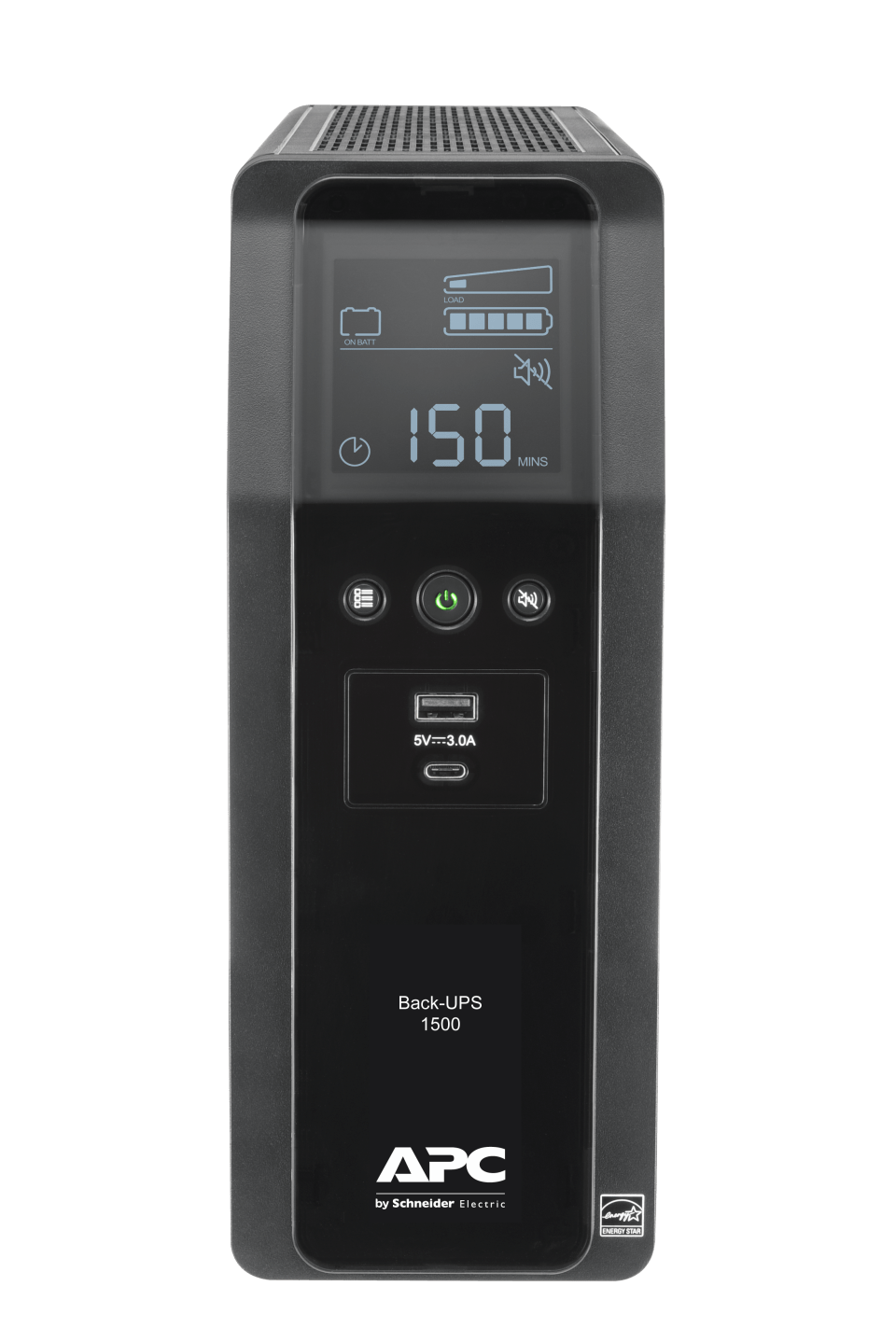
UPS
| Manufacturer | APC |
| Model | Back UPS PRO BN-M2 1500VA |
| Features |
|
Add-On Cards
PCIe 3.0 x1  |
10Gtek Intel 82576 Dual RJ45
|
PCIe 3.0 x8 (x16 physical)  |
QNAP QM2-4P-384A Quad M.2 PCIe SSD Expansion Card
|
PCIe 3.0 x8 (x16 physical)  |
LSI SAS9211-8I 8PORT
|
PCIe 3.0 x1  |
|
PCIe 3.0 x4 (x16 physical)  |
|
Host Configuration
Base Install
Operating System
Proxmox Virtual Environment 6.x
Configuration
Proxmox configuration has been transitioned to being automated by an Ansible Role
Networking
Bridges
| Master | Bridge | IP Address | Gateway | Description |
|---|---|---|---|---|
| man0 | - | 10.0.3.2/32 | - | Management Interface (slower Realtek NIC) |
| enp0s31f6 | vmbr1 | - | 10.0.1.1 | LAN/WAN (faster Intel GbE) |
| - | vmbr2 | - | - | Private network without direct Internet access |
| enp0s31f6.8 | vmbr3 | - | - | DMZ (VLAN8 tagged) |
| enp0s31f6.9 | vmbr4 | - | - | WARP (VLAN9 tagged) |
Storage & Backups (out-of-date)
Create zpool10 Storage Pool
The host's rpool (default ZFS pool used by Proxmox) can be used for templates and whatnot but I want a big pool for storing all my data. So I created a ZFS RAIDZ2 pool using 6x 10TB HDDs.
This is the command I used to build my ZFS pool.
# zpool create -o ashift=12 -o failmode=continue -O compression=lz4 -O xattr=sa -O atime=off \
-O encryption=aes-256-gcm -O keyformat=passphrase \
-m /storage/zpool10 zpool10 raidz2 \
/dev/disk/by-id/ata-WDC_WD100EMAZ-00WJTA0_JEKH3DVZ \
/dev/disk/by-id/ata-WDC_WD100EMAZ-00WJTA0_2YK148SD \
/dev/disk/by-id/ata-WDC_WD100EMAZ-00WJTA0_JEKH8RWZ \
/dev/disk/by-id/ata-WDC_WD100EMAZ-00WJTA0_JEK6ESAN \
/dev/disk/by-id/ata-WDC_WD100EMAZ-00WJTA0_JEK53ZHN \
/dev/disk/by-id/ata-WDC_WD100EMAZ-00WJTA0_2YK0HL0D
ashift=12to use 4k blocksfailmode=continueto let us keep reading if a drive goes badcompression=lz4save save space and increase speedxattr=sabe more efficient for linux attributesatime=offdon't waste time tracking access times for filesencryption=aes-256-gcmuse fast/secure encryption algorithmkeyformat=passphraseunlock with a passphrase
Setup ZFS Scrub (Data Integrity)
Automate ZFS scrubbing so the data integrity on disks is actively monitored, repaired if necessary, and I'm alerted if there is a problem with my disks.
Create systemd Service/Timer (source)
Create a simple systemd service template for scrubbing ZFS pools.
# /etc/systemd/system/zpool-scrub@.service
+ [Unit]
+ Description=Scrub ZFS Pool
+ Requires=zfs.target
+ After=zfs.target
+
+ [Service]
+ Type=oneshot
+ ExecStartPre=-/usr/sbin/zpool scrub -s %I
+ ExecStart=/usr/sbin/zpool scrub %I
Then create a systemd timer template for periodically running that service. I am running the scrub weekly, but semi-monthly or monthly would almost certainly be ok too.
# /etc/systemd/system/zpool-scrub@.timer
+ [Unit]
+ Description=Scrub ZFS pool weekly
+
+ [Timer]
+ OnCalendar=weekly
+ Persistent=true
+
+ [Install]
+ WantedBy=timers.target
Enable ZFS Scrub
systemctl daemon-reload
systemctl enable --now zpool-scrub@rpool.timer
systemctl enable --now zpool-scrub@zpool10.timer
Setup Storage Layout
I wanted to logically device my storage pool up into datasets based on their intended usage. This allows me to tweak their paramters if needed and have different snapshot/backup policies.
zpool10/backupsplace to store disk and time machine backupszpool10/downloadsstorage for downloadszpool10/downloads/incompletelanding zone for incomplete downloads (recordsize=1Mfor bittorrent)zpool10/mediastorage for audio/tv/movieszpool10/proxmoxadditional storage for proxmoxzpool10/proxmox/backupsbackup for proxmox instances (in subdirectories by hostname)zpool10/servicesstorage for services (possibly databases, so userecordsize=16k)
zfs create zpool10/backups
zfs create zpool10/downloads
zfs create -o recordsize=1M zpool10/downloads/incomplete
zfs create zpool10/media
zfs create zpool10/proxmox
zfs create zpool10/proxmox/backups
zfs create -o recordsize=16K zpool10/services
Setup Sanoid/Syncoid (Data Backup)
Run Sanoid for automating snapshots and Syncoid for remote backups. Unfortunately this isn't available in repositories so you have to build it yourself. However the author makes it fairly simple.
Install (source)
apt-get install debhelper libcapture-tiny-perl libconfig-inifiles-perl pv lzop mbuffer
sudo git clone https://github.com/jimsalterjrs/sanoid.git
cd sanoid
ln -s packages/debian .
dpkg-buildpackage -uc -us
apt install ../sanoid_*_all.deb
Configure Sanoid
I want to take hourly snapshots of both of my ZFS pools because sometimes I am not as careful or thoughtful as I should be about what I am doing at any given moment. But I don't want to snapshot zpool/backups because it is a backup destination that will likely already have snapshots (rpool snapshots are stored there for example) and I also don't want to snapshot zpool/downloads because there is nothing important under there and it is likely to change frquently.
# /etc/sanoid/sanoid.conf
+ [template_proxmox]
+         frequently = 0
+         hourly = 24
+         daily = 7
+         weekly = 4
+         monthly = 1
+         yearly = 0
+         autosnap = yes
+         autoprune = yes
+
+ [rpool]
+         use_template = template_proxmox
+         process_children_only = yes
+         recursive = yes
+
+ [rpool/ROOT]
+         use_template = rpool
+         process_children_only = yes
+         recursive = yes
+
+ [rpool/data]
+         use_template = template_proxmox
+         weekly = 1
+         monthly = 1
+         process_children_only = yes
+         recursive = yes
Maybe this is a sin, but I'd like my snapshots to be in local time so I don't have to do the (admittedly simple) conversion in my head.
# /usr/lib/systemd/system/sanoid.service
  [Service]
- Environment=TZ=UTC
+ Environment=TZ=EST
Eanble Sanoid
systemctl daemon-reload
systemctl enable --now sanoid.service
Configure Syncoid
Backup rpool to zpool10/proxmox/backups/blackbox
Right now rpool is just running on a single non-redundant 512GB SSD disk. Even though it is only used for Proxmox (config, templates, ISOs) this isn't great practice and I'll work on this in the future. But in the meantime I am backing up everything on a daily timer to my main ZFS pool so I could recover very quickly if the SSD dies.
# /etc/systemd/system/rpool-backup.timer
+ [Unit]
+ Description=Backup rpool daily
+
+ [Timer]
+ OnCalendar=daily
+ Persistent=true
+
+ [Install]
+ WantedBy=timers.target
# /etc/systemd/system/rpool-backup.service
+ [Unit]
+ Description=Use syncoid to backup rpool to zpool10/proxmox/backups/blackbox
+ Requires=zfs.target
+ After=zfs.target
+
+ [Service]
+ Type=oneshot
+ ExecStart=/usr/sbin/syncoid --force-delete --recursive rpool zpool10/proxmox/backups/blackbox/rpool
Backup zpool10/services offsite
All my docker containers store their configuration and data under the zpool10/services dataset. It is imperative this is backed up offsite so if anything catastrophic ever happens I don't lose anything important and can get back up and running as quickly as I can download my backup.
# /etc/systemd/system/zpool10-services-backup.timer
+ [Unit]
+ Description=Backup zpool10/services daily
+
+ [Timer]
+ OnCalendar=daily
+ Persistent=true
+
+ [Install]
+ WantedBy=timers.target
# /etc/systemd/system/zpool10-services-backup.service
+ [Unit]
+ Description=Use syncoid to backup zpool10/services to backedup.swigg.net:bpool/zpool10/services
+ Requires=zfs.target
+ After=zfs.target
+
+ [Service]
+ Type=oneshot
+ ExecStart=/usr/sbin/syncoid --force-delete --recursive zpool10/services root@backedup.swigg.net:bpool/zpool10/services
Enable Syncoid
systemctl daemon-reload
systemctl enable --now rpool-backup.timer
Setup Restic to Backblaze B2 (Data Backup)
Read more about setting up Restic at https://fedoramagazine.org/automate-backups-with-restic-and-systemd/
Setup Restic Backup
Create the .service and .timer for the backup service so that it runs everyday.
# /etc/systemd/system/restic-backup.service
+ [Unit]
+ Description=Restic backup service
+
+ [Service]
+ Type=oneshot
+ ExecStart=restic backup --verbose --tag systemd.timer $BACKUP_EXCLUDES $BACKUP_INCLUDES $BACKUP_PATHS
+ ExecStartPost=restic forget --verbose --tag systemd.timer --group-by "paths,tags" --keep-daily $RETENTION_DAYS --keep-weekly $RETENTION_WEEKS --keep-monthly $RETENTION_MONTHS --keep-yearly $RETENTION_YEARS
+ EnvironmentFile=/etc/systemd/system/restic-backup.service.d/restic-backup.conf
# /etc/systemd/system/restic-backup.timer
+ [Unit]
+ Description=Backup with restic daily
+
+ [Timer]
+ OnCalendar=daily
+ Persistent=true
+
+ [Install]
+ WantedBy=timers.target
# /etc/systemd/system/restic-backup.service.d/restic-backup.conf
+ BACKUP_PATHS="/storage/zpool10"
+ BACKUP_EXCLUDES="--exclude-file /etc/systemd/system/restic-backup.service.d/restic-excludes.txt --exclude-if-present .exclude_from_backup"
+ BACKUP_INCLUDES="--files-from /etc/systemd/system/restic-backup.service.d/restic-includes.txt"
+ RETENTION_DAYS=7
+ RETENTION_WEEKS=4
+ RETENTION_MONTHS=6
+ RETENTION_YEARS=3
+ B2_ACCOUNT_ID=xxx
+ B2_ACCOUNT_KEY=xxx
+ RESTIC_REPOSITORY=b2:swigg-backup-blackbox:storage/zpool10
+ RESTIC_PASSWORD=xxx
Setup Restic Prune
The backup command above forgets about files when they expire, but to actually delete them once they aren't referenced anymore you need to prune them. The following creates a .service and .timer for a prune job to be run every month.
# /etc/systemd/system/restic-prune.service
+ [Unit]
+ Description=Restic backup service (data pruning)
+
+ [Service]
+ Type=oneshot
+ ExecStart=restic prune
+ EnvironmentFile=/etc/systemd/system/restic-backup.service.d/restic-backup.conf
# /etc/systemd/system/restic-prune.timer
+ [Unit]
+ Description=Prune data from the restic repository monthly
+
+ [Timer]
+ OnCalendar=monthly
+ Persistent=true
+
+ [Install]
+ WantedBy=timers.target
Storage & Backups
Create Storage Pools
Although my current setup has changed over time I currently settled on the setup below.
| Name | Disks | Type | Description |
|---|---|---|---|
| rpool | 2x 500GB SSD | zpool mirror | Host OS, LXC Templates, ISOs |
| nocow | 2x 1TB NVMe | LVM > LUKS > Linux Raid | LVM PVE Storage for LXCs/VMs, Non-COW disks/volumes |
| 6x 10TB HDD + 4x 18TB HDD + 2x 1TB NVMe + 1x 16GB Optane | zpool + special + log | Primary PVE Storage for all LXCs/VMs |
Creation Commands
blackmirror
zpool create -o ashift=12 -o failmode=continue -O atime=off -O relatime=on \
-O checksum=on -O compression=zstd -O encryption=aes-256-gcm -O keyformat=passphrase \
-O keylocation=prompt -O special_small_blocks=16K -O snapdir=hidden -O xattr=sa \
-m /storage/blackmirror blackmirror \
mirror \
  /dev/disk/by-id/ata-WDC_WD181KFGX-68AFPN0_4BK0RVSZ \
  /dev/disk/by-id/ata-WDC_WD181KFGX-68AFPN0_4YGUS20H \
mirror \
  /dev/disk/by-id/ata-WDC_WD181KFGX-68AFPN0_4YGUS4AH \
  /dev/disk/by-id/ata-WDC_WD181KFGX-68AFPN0_5DJ20PAV \
mirror \
  /dev/disk/by-id/ata-WDC_WD100EMAZ-00WJTA0_2YK0HL0D \
  /dev/disk/by-id/ata-WDC_WD100EMAZ-00WJTA0_JEK53ZHN \
mirror \
  /dev/disk/by-id/ata-WDC_WD100EMAZ-00WJTA0_2YK148SD \
  /dev/disk/by-id/ata-WDC_WD100EMAZ-00WJTA0_JEK6ESAN \
mirror \
  /dev/disk/by-id/ata-WDC_WD100EMAZ-00WJTA0_JEKH3DVZ \
  /dev/disk/by-id/ata-WDC_WD100EMAZ-00WJTA0_JEKH8RWZ \
special mirror \
  /dev/disk/by-id/nvme-PC401_NVMe_SK_hynix_1TB_MN8BN16291080BN2A \
  /dev/disk/by-id/nvme-PC401_NVMe_SK_hynix_1TB_MN8BN16291080BN46 \
log \
  /dev/disk/by-id/nvme-INTEL_MEMPEK1W016GA_PHBT72350AVD016D
-
-o ashift=12zpool property: use 4k blocks -
-o failmode=continuezpool property: keep reading if a drive goes bad in pool -
-O atime=offroot filesystem: disable updatnig access time for files when they are read -
-O relatime=onroot filesystem: enable relatime (relative access time) -
-O checksum=onroot filesystem: enable checksum used to verify data integrity -
-O compression=zstdroot filesystem: use zstd compression -
-O encryption=aes-256-gcmroot filesystem: use fast/secure encryption algorithm -
-O keyformat=passphraseroot filesystem: unlock with a passphrase -
-O keylocation=promptroot filesystem: prompt for key -
-O special_small_blocks=16Kroot filesystem: 16k threshold block size for including small file blocks into the special allocation class -
-O snapdir=hiddenroot filesystem: hide .zfs snapshots directory -
-O xattr=saroot filesystem: Enable system attributes for extended attributes -
-m /storage/blackmirrorroot filesystem: mount point for the root dataset
nocow
tbd
-
attrdescription
Setup ZFS Scrub (Data Integrity)
Automate ZFS scrubbing so the data integrity on disks is actively monitored, repaired if necessary, and I'm alerted if there is a problem with my disks.
Create systemd Service/Timer (source)
Create a simple systemd service template for scrubbing ZFS pools.
# /etc/systemd/system/zpool-scrub@.service
+ [Unit]
+ Description=Scrub ZFS Pool
+ Requires=zfs.target
+ After=zfs.target
+
+ [Service]
+ Type=oneshot
+ ExecStartPre=-/usr/sbin/zpool scrub -s %I
+ ExecStart=/usr/sbin/zpool scrub %I
Then create a systemd timer template for periodically running that service. I am running the scrub weekly, but semi-monthly or monthly would almost certainly be ok too.
# /etc/systemd/system/zpool-scrub@.timer
+ [Unit]
+ Description=Scrub ZFS pool weekly
+
+ [Timer]
+ OnCalendar=weekly
+ Persistent=true
+
+ [Install]
+ WantedBy=timers.target
Enable ZFS Scrub
systemctl daemon-reload
systemctl enable --now zpool-scrub@rpool.timer
systemctl enable --now zpool-scrub@blackmirror.timer
Setup Storage Layout
I wanted to logically device my storage pool up into datasets based on their intended usage. This allows me to tweak their paramters if needed and have different snapshot/backup policies.
-
zpool10/backupsplace to store disk and time machine backups -
zpool10/downloadsstorage for downloads -
zpool10/downloads/incompletelanding zone for incomplete downloads (recordsize=1Mfor bittorrent) -
zpool10/mediastorage for audio/tv/movies -
zpool10/proxmoxadditional storage for proxmox -
zpool10/proxmox/backupsbackup for proxmox instances (in subdirectories by hostname) -
zpool10/servicesstorage for services (possibly databases, so userecordsize=16k)
zfs create zpool10/backups
zfs create zpool10/downloads
zfs create -o recordsize=16K zpool10/downloads/incomplete
zfs create zpool10/media
zfs create zpool10/proxmox
zfs create zpool10/proxmox/backups
zfs create -o recordsize=16K zpool10/services
Setup Sanoid/Syncoid (Data Backup)
Run Sanoid for automating snapshots and Syncoid for remote backups. Unfortunately this isn't available in repositories so you have to build it yourself. However the author makes it fairly simple.
Install (source)
apt-get install debhelper libcapture-tiny-perl libconfig-inifiles-perl pv lzop mbuffer
sudo git clone https://github.com/jimsalterjrs/sanoid.git
cd sanoid
ln -s packages/debian .
dpkg-buildpackage -uc -us
apt install ../sanoid_*_all.deb
Configure Sanoid
I want to take hourly snapshots of both of my ZFS pools because sometimes I am not as careful or thoughtful as I should be about what I am doing at any given moment. But I don't want to snapshot zpool/backups because it is a backup destination that will likely already have snapshots (rpool snapshots are stored there for example) and I also don't want to snapshot zpool/downloads because there is nothing important under there and it is likely to change frquently.
# /etc/sanoid/sanoid.conf
+ [template_proxmox]
+         frequently = 0
+         hourly = 24
+         daily = 7
+         weekly = 4
+         monthly = 1
+         yearly = 0
+         autosnap = yes
+         autoprune = yes
+
+ [rpool]
+         use_template = template_proxmox
+         process_children_only = yes
+         recursive = yes
+
+ [rpool/ROOT]
+         use_template = rpool
+         process_children_only = yes
+         recursive = yes
+
+ [rpool/data]
+         use_template = template_proxmox
+         weekly = 1
+         monthly = 1
+         process_children_only = yes
+         recursive = yes
Maybe this is a sin, but I'd like my snapshots to be in local time so I don't have to do the (admittedly simple) conversion in my head.
# /usr/lib/systemd/system/sanoid.service
  [Service]
- Environment=TZ=UTC
+ Environment=TZ=EST
Eanble Sanoid
systemctl daemon-reload
systemctl enable --now sanoid.service
Configure Syncoid
Backup rpool to zpool10/proxmox/backups/blackbox
Right now rpool is just running on a single non-redundant 512GB SSD disk. Even though it is only used for Proxmox (config, templates, ISOs) this isn't great practice and I'll work on this in the future. But in the meantime I am backing up everything on a daily timer to my main ZFS pool so I could recover very quickly if the SSD dies.
# /etc/systemd/system/rpool-backup.timer
+ [Unit]
+ Description=Backup rpool daily
+
+ [Timer]
+ OnCalendar=daily
+ Persistent=true
+
+ [Install]
+ WantedBy=timers.target
# /etc/systemd/system/rpool-backup.service
+ [Unit]
+ Description=Use syncoid to backup rpool to zpool10/proxmox/backups/blackbox
+ Requires=zfs.target
+ After=zfs.target
+
+ [Service]
+ Type=oneshot
+ ExecStart=/usr/sbin/syncoid --force-delete --recursive rpool zpool10/proxmox/backups/blackbox/rpool
Backup zpool10/services offsite
All my docker containers store their configuration and data under the zpool10/services dataset. It is imperative this is backed up offsite so if anything catastrophic ever happens I don't lose anything important and can get back up and running as quickly as I can download my backup.
# /etc/systemd/system/zpool10-services-backup.timer
+ [Unit]
+ Description=Backup zpool10/services daily
+
+ [Timer]
+ OnCalendar=daily
+ Persistent=true
+
+ [Install]
+ WantedBy=timers.target
# /etc/systemd/system/zpool10-services-backup.service
+ [Unit]
+ Description=Use syncoid to backup zpool10/services to backedup.swigg.net:bpool/zpool10/services
+ Requires=zfs.target
+ After=zfs.target
+
+ [Service]
+ Type=oneshot
+ ExecStart=/usr/sbin/syncoid --force-delete --recursive zpool10/services root@backedup.swigg.net:bpool/zpool10/services
Enable Syncoid
systemctl daemon-reload
systemctl enable --now rpool-backup.timer
Setup Restic to Backblaze B2 (Data Backup)
Read more about setting up Restic at https://fedoramagazine.org/automate-backups-with-restic-and-systemd/
Setup Restic Backup
Create the .service and .timer for the backup service so that it runs everyday.
# /etc/systemd/system/restic-backup.service
+ [Unit]
+ Description=Restic backup service
+
+ [Service]
+ Type=oneshot
+ ExecStart=restic backup --verbose --tag systemd.timer $BACKUP_EXCLUDES $BACKUP_INCLUDES $BACKUP_PATHS
+ ExecStartPost=restic forget --verbose --tag systemd.timer --group-by "paths,tags" --keep-daily $RETENTION_DAYS --keep-weekly $RETENTION_WEEKS --keep-monthly $RETENTION_MONTHS --keep-yearly $RETENTION_YEARS
+ EnvironmentFile=/etc/systemd/system/restic-backup.service.d/restic-backup.conf
# /etc/systemd/system/restic-backup.timer
+ [Unit]
+ Description=Backup with restic daily
+
+ [Timer]
+ OnCalendar=daily
+ Persistent=true
+
+ [Install]
+ WantedBy=timers.target
# /etc/systemd/system/restic-backup.service.d/restic-backup.conf
+ BACKUP_PATHS="/storage/zpool10"
+ BACKUP_EXCLUDES="--exclude-file /etc/systemd/system/restic-backup.service.d/restic-excludes.txt --exclude-if-present .exclude_from_backup"
+ BACKUP_INCLUDES="--files-from /etc/systemd/system/restic-backup.service.d/restic-includes.txt"
+ RETENTION_DAYS=7
+ RETENTION_WEEKS=4
+ RETENTION_MONTHS=6
+ RETENTION_YEARS=3
+ B2_ACCOUNT_ID=xxx
+ B2_ACCOUNT_KEY=xxx
+ RESTIC_REPOSITORY=b2:swigg-backup-blackbox:storage/zpool10
+ RESTIC_PASSWORD=xxx
Setup Restic Prune
The backup command above forgets about files when they expire, but to actually delete them once they aren't referenced anymore you need to prune them. The following creates a .service and .timer for a prune job to be run every month.
# /etc/systemd/system/restic-prune.service
+ [Unit]
+ Description=Restic backup service (data pruning)
+
+ [Service]
+ Type=oneshot
+ ExecStart=restic prune
+ EnvironmentFile=/etc/systemd/system/restic-backup.service.d/restic-backup.conf
# /etc/systemd/system/restic-prune.timer
+ [Unit]
+ Description=Prune data from the restic repository monthly
+
+ [Timer]
+ OnCalendar=monthly
+ Persistent=true
+
+ [Install]
+ WantedBy=timers.target
LXC / backup

Description
A LXC container running Proxmox Backup Server (PBS) to back up Proxmox Virtual Environment (PVE) instances.
Because I prefer running LXC intances instead of virtual machines I used the LXC template for Debian Linux (version 10 - Buster) and then installed PBS Debian Package Repositories to get a working instance.
Configuration
Resources
| Hostname | CPU | Memory |
|---|---|---|
| backup | 2 vCPU | 2GB |
Storage
| Mount Point | Source | Mount Path | Size | Options |
|---|---|---|---|---|
| rootfs | zpool10_storage-zfs:subvol-102-disk-0 | / | 2GB | noatime |
| mp0 | /storage/zpool10/proxmox-backup-server | /storage | - | noatime;nodev;noexec;nosuid |
Networking
Interfaces
| ID | Name | Bridge | IP Address | Description |
|---|---|---|---|---|
| net0 | eth0 | vmbr1 | 10.0.1.4/21 | LAN |
LXC / contained

Description
A LXC container using nested virtualization responsible for running the majority of my services that run as docker containers.
Configuration
Resources
| Hostname | CPU | Memory |
|---|---|---|
| contained | 6 vCPU | 24GB |
Storage
| Mount Point | Source | Mount Path | Size | Options |
|---|---|---|---|---|
| rootfs | local-zfs:subvol-100-disk-0 | / | 8GB | noatime |
| mp0 | /storage/zpool10/downloads | /storage/downloads | - | noatime;nodev;noexec;nosuid |
| mp1 | /storage/zpool10/downloads/incomplete | /storage/downloads/incomplete | - | noatime;nodev;noexec;nosuid |
| mp2 | /storage/zpool10/media | /storage/media | - | noatime;nodev;noexec;nosuid |
| mp3 | /storage/zpool10/services | /storage/services | - | |
| mp4 | vpool-zfs:subvol-100-disk-1 | /var/lib/docker | 384GB | noatime |
Networking
Interfaces
| ID | Type | Name | Link | IPv4 Address | IPv6 Address | Description |
|---|---|---|---|---|---|---|
| net0 | bridge | eth0 | vmbr3 | 10.0.8.2/21 | DHCPv6 | DMZ |
| net1 | bridge | eth2 | vmbr4 | - | - | WARP |
Docker Networks
A brief overview of how I have my networking setup for Docker.
blackbox_containers
| Type | Gateway | IP/Subnet | IP Range |
|---|---|---|---|
| bridge | - | - | - |
Traefik binds to the host ports on LXC / Contained for HTTP(S) traffic that has been forwarded from firewall and proxies it to the appropriate container using this bridge network.
- Containers that are part of this network can directly access other containers in this network using their hostnames and/or container names.
- Using hostnames to network containers provides an IP agnostic way to communicate while reducing overhead of SSL.
- Containers in this network are not publically accessible, access is controlled with Traefik acting as a gatekeeper.
**NOTE** All publically accessible containers should be part of the blackbox_containers network.
Creation Command
docker network create --driver bridge blackbox_containers
a_warp
| Type | Gateway | IP/Subnet | IP Range |
|---|---|---|---|
| macvlan | 10.0.9.1 | 10.0.9.2/24 | 10.0.9.128/25 |
All containers which need anonimity should be connected to this network so their traffic is automatically routed through a VPN. It is prefixed with a_ because networks are added to containers alphabetically and this must be added first to be assigned as the default gateway.
**NOTE** All containers that want to mask the location of their traffic should be part of the a_warp network.
Creation Command
docker network create --driver macvlan --subnet 10.0.9.2/24 --gateway 10.0.9.1 --ip-range 10.0.9.128/25 --opt parent=eth2 a_warp
Installed Software
LXC / refuge

Description
LXC container for running Samba to make network shares available to the LAN.
Configuration
Resources
| Hostname | CPU | Memory |
|---|---|---|
| refuge | 2 vCPU | 256MB |
Storage
| Mount Point | Source | Mount Path | Size | Options |
|---|---|---|---|---|
| rootfs | zpool10_storage-zfs:subvol-110-disk-0 | / | 2GB | noatime |
| mp1 | /storage/zpool10/backups/storage | /storage/backups | - | - |
| mp2 | /storage/fpool/services/mayanedms/watch-moveoncomplete | /storage/mayan/watch | - | - |
| mp3 | /storage/fpool/services/mayanedms/stage-moveoncomplete | /storage/mayan/stage | - | - |
| mp4 | /storage/zpool10/public | /storage/scanned | - | - |
| mp5 | /storage/zpool10/media | /storage/media | - | - |
| mp6 | /storage/zpool10/downloads | /storage/downloads | - | - |
| lxc.mount.entry | /storage/zpool10/backups/timemachine | /storage/timemachine | - | rbind,create=dir |
lxc.mount.entry is used in place of a mpX entry because it allows recursive mounting of datasets through the rbind mount option.
Networking
Interfaces
| ID | Name | Bridge | IP Address | Description |
|---|---|---|---|---|
| net0 | eth0 | vmbr1 | dhcp | LAN |